Most shops treat the post processor as a black box. It came with the CAM seat, it spits out G-code, and as long as the machine moves, nobody touches it. That’s exactly why so many machines run slower than they should. A generic, out-of-the-box post is built to work on everything, which means it’s optimized for nothing — including the specific control sitting on your floor. CNC post processor customization is the unglamorous work of making the code match the machine, and it improves every program that machine ever runs.
What a generic post quietly costs you
- Air cutting — conservative rapid planes and retracts the post adds “to be safe” become seconds per tool change, then minutes per part, then hours per week.
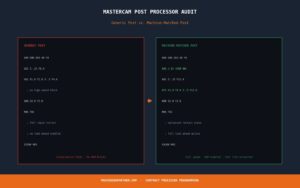
- Missed canned cycles — a generic post often long-hands drilling and tapping instead of calling the control’s native G81/G83/G84, bloating and slowing the program.
- No high-speed look-ahead — modern Fanuc, Haas, Okuma, and Heidenhain controls have smoothing/look-ahead (AICC, G187) a default post never invokes.
- Manual edits at the machine — the most expensive symptom: if operators hand-fix every program, the post is the problem.
- Alarms and inconsistency — tool-change quirks, offset handling, and coolant timing that vary program to program.
If your operators keep a list of “things you have to fix before you run this,” that list is a spec for the post customization you’re missing.
Operators hand-editing every program?
That’s a post problem. Send us your control and a sample program — we’ll fix it once.
Get a Free Quote →What customization actually changes
- Native canned cycles for drilling, tapping, boring, and pecking instead of expanded moves.
- Optimized retract and clearance logic tuned to your actual fixturing.
- Control-specific high-speed modes enabled and parameterized for your machine and material.
- Clean, readable output with consistent tool lists, comments, and setup blocks.
- Sub-program and Macro B support where it shortens cycle time or simplifies family-of-parts work.
- Standardized tool changes, coolant, and offsets so every program behaves the same.
The post is CAM-specific too
Post customization isn’t only about the control; it’s the bridge between your CAM package and that control. A Mastercam post, an ESPRIT post, and a GibbsCAM post for the same Mazak are three different files solving the same problem. The right person to touch it is a programmer who knows both your CAM and your control.
When to outsource post work
Post development is specialized and intermittent — you need it deeply a few times a year, not every day, which makes it a poor fit for a full-time hire and a good fit for on-demand support. Bring in help when you add a machine and the post doesn’t match it, when you switch CAM software, when a new control throws alarms, or when you realize operators have been quietly fixing the same issues for years.
Frequently asked questions
How do I know if our post needs customization?
The clearest signal is operators editing programs at the machine before every run. Other signs: longer cycle times than the toolpath suggests, alarms on tool changes, and programs that don’t use your control’s canned cycles.
Can you customize a post for a machine you’ve never seen?
Yes, with the control type, machine make/model, and a sample program plus a sample part. Those tell us what the post is doing and what it should do instead.
Get a post that runs clean on the first try.
Send us your control and a sample program — same-day quote.
Get a Free Quote →